Advertisement
How SIM swap fraud works and how to protect your M-Pesa account
06th July, 2026 08:22 AM

For many Kenyans, a mobile phone is more than a communication tool. It is a wallet, a banking platform, a business counter, and a place where important personal information is stored.
That is why SIM swap fraud can be particularly damaging. A recent case in Marsabit, where eight people were arrested over an alleged scheme that led to the loss of more than KSh1.2 million from an M-Pesa operator, has renewed concern over the safety of mobile money accounts.
Investigators said the suspects allegedly posed as customers before tricking an M-Pesa attendant into giving out a SIM card. The card was then allegedly used to gain unauthorised access to funds linked to the account.
While the case is still under investigation, it offers a reminder that protecting a SIM card is as important as protecting cash.
What SIM swap fraud means
SIM swap fraud happens when a criminal gains control of another person’s phone number by replacing their SIM card with a new one.
Once the fraudster has control of the number, they can receive calls, SMS alerts and one-time passwords meant for the genuine owner. This may allow them to reset passwords or access mobile money and bank accounts linked to the number.
In some cases, criminals may pretend to be the account holder at a mobile service shop. In others, they may use stolen identity documents, leaked personal details or social engineering tricks to convince a victim or agent to surrender a SIM card.
The danger is that a person may not immediately notice the problem. Their phone may simply lose network signal, while the fraudster begins receiving their messages elsewhere.
Warning signs to take seriously
A sudden loss of network service is one of the common signs that something may be wrong, especially if it happens without an obvious explanation.
Other warning signs include receiving unexpected messages about a SIM replacement, password changes, M-Pesa transactions or requests for verification codes that you did not initiate.
People should also be careful when strangers ask to use their phones, handle their M-Pesa handset or assist with a transaction. The DCI has warned agents and members of the public against handing over phones, SIM cards or M-Pesa devices to customers.
For business owners and M-Pesa operators, distractions can also be a risk. Fraudsters may work in groups, with one person asking questions while another watches how the phone or SIM card is handled.
How to protect your M-Pesa account
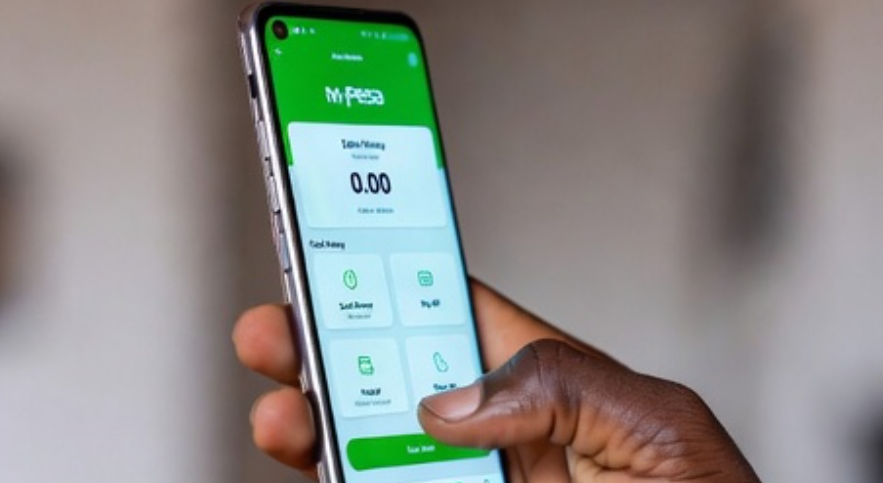
The first rule is simple: never share your M-Pesa PIN, verification code, or personal identification details with anyone. Safaricom has repeatedly warned customers that genuine staff will not ask for an M-Pesa PIN over the phone.
Avoid clicking links sent through suspicious SMS messages or social media chats, especially those claiming that your account has been blocked or needs urgent verification. It is safer to use official Safaricom channels or visit an authorised shop when there is a concern about your line.
M-Pesa users should also set a strong phone screen lock and avoid leaving their handset unattended in public places. A lost phone should be reported immediately so that the line can be blocked before criminals attempt to access the account.
/X
It is also important to review M-Pesa messages regularly. Unfamiliar transactions, account changes or failed login attempts should not be ignored.
For M-Pesa agents, keeping the SIM card and handset out of reach of customers is a practical safety measure. Transactions should be completed by the attendant, even when a customer appears helpful or insists on handling the device.
Mobile money has made daily life easier for households and small businesses. However, a few careful habits, including protecting the SIM card and treating unexpected requests with caution, can help keep money where it belongs.