Advertisement
How opening your laptop from the corner can damage the display
08th August, 2026 02:02 PM

How do you open your laptop? If you grab one of the top corners and lift, you are not alone. Most people do it without thinking. However, this habit is quietly ruining your computer screen and setting you up for costly repairs.
Pulling the display from a single side puts uneven pressure across the frame. This forces the lid to twist slightly every single time you open it.
Inside your laptop, two metal hinges secure the screen to the lower body, while a thin ribbon cable carries the video signal. When you lift from one corner, one hinge bears almost all the physical strain.
Over time, the screws holding that hinge loosen, and the plastic casing around it begins to crack. Twisting the display also stretches the delicate wires inside.
Engineering research examining flexible cables confirms that “even slight bends can significantly impact stress distribution” across internal wiring.
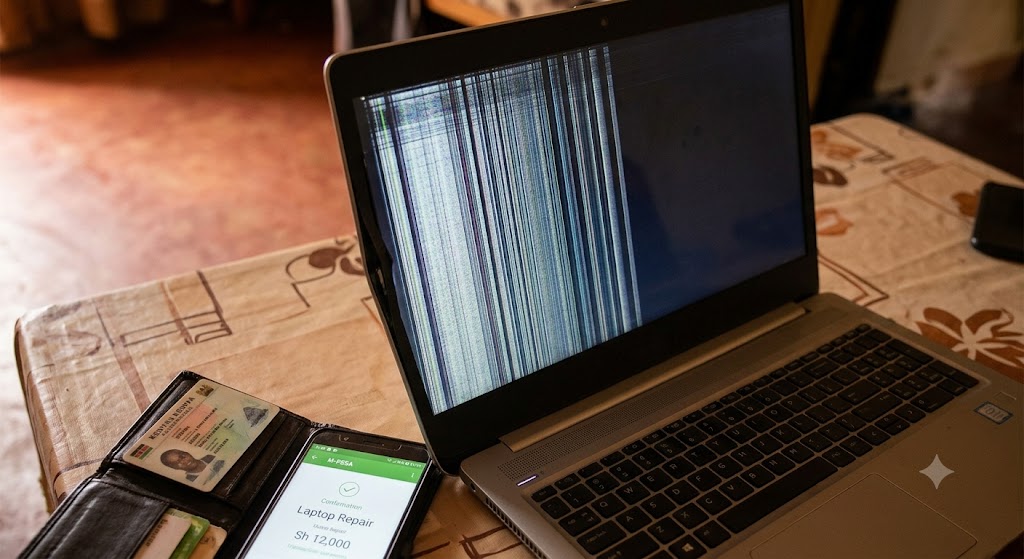
Repeatedly bending those internal components eventually leads to visible damage. You might notice your display flickering, lines running across the screen, or the display going completely black.
In Kenya, replacing a damaged laptop screen costs anywhere between Ksh8,000 and Ksh20,000 depending on the model. That is a heavy blow to a student budget or a freelancer’s monthly income.
The centre-lift rule
Preventing this damage does not require buying special cases or learning technical skills. You only need to change how you lift the lid.
Always open your laptop by grabbing the exact top-centre edge of the display. Placing your finger in the middle distributes the pressure evenly across both hinges.
The lid moves straight up without twisting, keeping the glass flat and protecting the wires underneath.
Simple ways to protect your laptop screen
Beyond lifting from the middle, a few everyday habits can keep your machine working smoothly for years. Lift the screen gently instead of flipping it open quickly.

When packing your bag, avoid putting heavy books or water bottles directly against the laptop, as external pressure forces the keys into the glass display.
Finally, if you hear clicking sounds or feel stiffness when moving the screen, take it to a technician early before the hinge snaps completely.