Advertisement
How to recover your hacked Facebook or WhatsApp account
03rd November, 2025 09:41 PM

Social media accounts have become a key part of daily life for many Kenyans, from connecting with friends and family to running businesses.
But with rising cases of online hacking, many people have found themselves locked out of their Facebook or WhatsApp accounts. If your account has been compromised, don’t panic. There are clear steps you can take to recover it and secure it from future attacks.
Step 1: Identify if you’ve been hacked
The first sign that your account has been hacked is when you cannot log in using your normal password. You may also notice suspicious activities such as strange posts, unknown messages, or login alerts from unfamiliar devices. Sometimes, friends may call or text you about receiving odd messages from your account — a strong indicator that someone else has gained access.
For WhatsApp users, if you suddenly get a message saying “Your number is no longer registered on this phone,” it means another device has registered your number. Immediately take steps to verify and reclaim your account before more damage is done.
Step 2: Recover your Facebook account
If your Facebook account is hacked, go to facebook.com/hacked. This page allows you to report that your account was compromised. Follow the on-screen instructions to secure your profile. Facebook will ask you to enter your old password, confirm your identity, and set a new password.
If the hacker changed your email or phone number, you can still regain access using the “Find your account” option. Type your name or email, then click “No longer have access to these?”
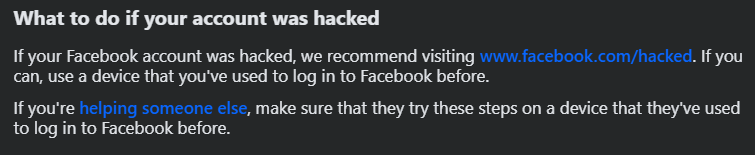
Facebook will guide you through recovery by verifying your identity using other linked details, such as a trusted contact or your ID. After regaining control, immediately log out all active sessions by going to Settings → Security and Login → Where you’re logged in and selecting “Log out of all sessions.”
Step 3: Recover your WhatsApp account
For WhatsApp, reinstall the app and verify your phone number. You will receive a 6-digit code through SMS. Once verified, the hacker will automatically be logged out of their device.
To strengthen your security, enable Two-Step Verification under Settings → Account → Two-step verification. Create a 6-digit PIN and add an email address for backup. This prevents anyone from registering your number on another device without your permission.
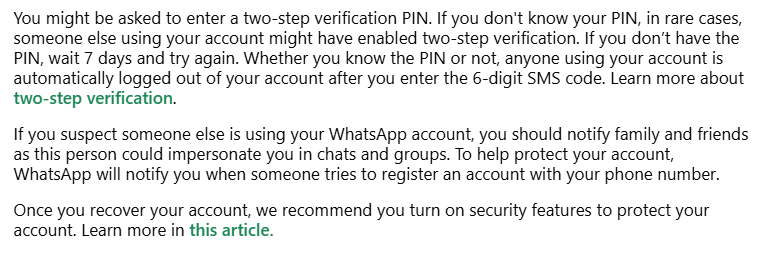
According to WhatsApp’s official website, “You might be asked to enter a two-step verification PIN. If you don’t know your PIN, in rare cases, someone else using your account might have enabled two-step verification. If you don’t have the PIN, wait 7 days and try again. Whether you know the PIN or not, anyone using your account is automatically logged out of your account after you enter the 6-digit SMS code.”
Step 4: Secure your account and stay vigilant
Once you recover your account, update all your passwords and enable two-factor authentication on Facebook and WhatsApp. Avoid clicking on suspicious links or sharing personal information with strangers online.
Use a strong password that combines letters, numbers, and symbols. Never reuse passwords across platforms, and review your privacy settings regularly.
Online security in Kenya is becoming increasingly important as scammers and hackers target social media users daily. By taking these simple precautions, you can keep your accounts safe and recover quickly if you ever fall victim to an attack.