Advertisement
How to reduce data usage when watching TikTok and YouTube
07th September, 2026 03:03 AM
Streaming videos on TikTok and YouTube can quickly consume mobile data, especially when watching for several hours a day.
With videos automatically loading in high quality and social media feeds continuously playing content, users can easily run out of their monthly data bundles without realising how much they have consumed.
However, a few changes to your settings and viewing habits can significantly reduce data usage without requiring you to stop watching your favourite videos.
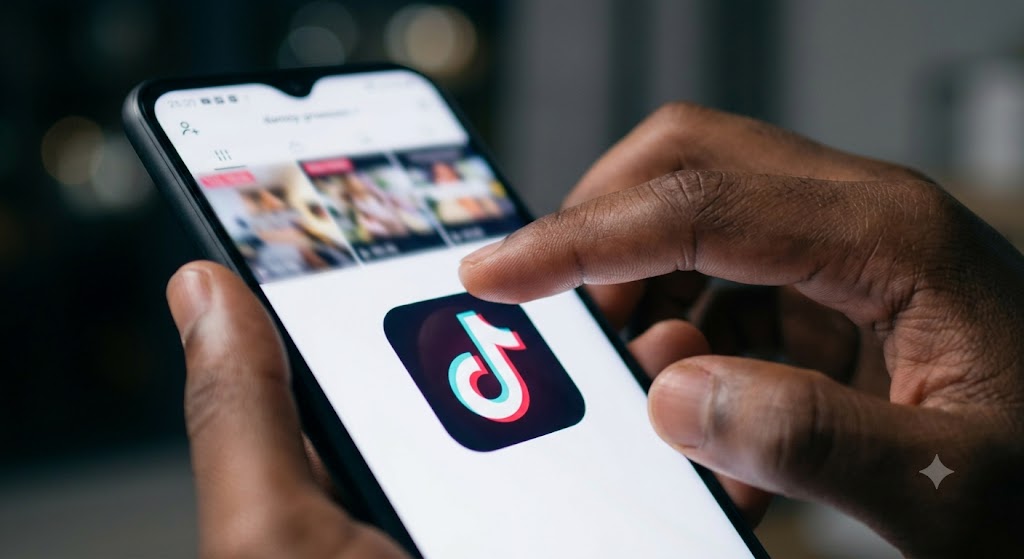
Turn on TikTok Data Saver
TikTok has a Data Saver feature designed to reduce the amount of mobile data used while browsing the platform.
To enable it, open TikTok and go to your profile. Tap the menu button, select Settings and privacy, then look for Data Saver under the app’s content or cache-related settings. Turn the feature on.
The exact location of the setting may vary depending on your version of TikTok.
Data Saver can reduce video quality when you are using mobile data, helping you watch more content while consuming fewer megabytes.
Reduce YouTube video quality
YouTube can use considerably more data when videos are streamed at higher resolutions.
If you are watching videos on mobile data, consider lowering the playback quality. Instead of automatically streaming in the highest available resolution, choose a lower quality such as 360p or 480p when high-definition video is not necessary.
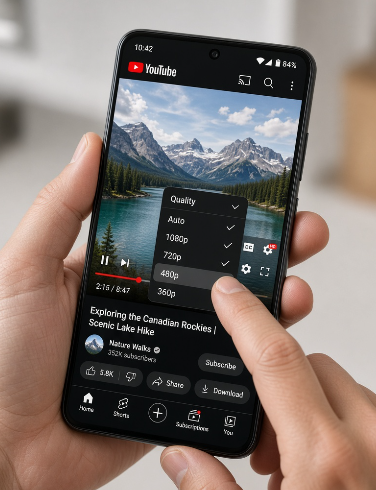
You can also adjust YouTube’s mobile-data preferences so the app uses a lower quality when you are not connected to Wi-Fi.
To change the quality while watching a video, tap the settings icon on the video player, select Quality, and choose a lower resolution.
Download videos when using Wi-Fi
If you know you will be travelling or spending time away from Wi-Fi, downloading videos beforehand can help reduce mobile-data consumption.
YouTube allows users to download certain videos for offline viewing, depending on the video, location and account.
Instead of repeatedly streaming the same content using mobile data, download it while connected to Wi-Fi and watch it later.
Avoid autoplay
Autoplay can quietly increase your data consumption because another video starts playing as soon as the current one ends.
On YouTube, turning off autoplay can prevent the platform from continuously streaming videos you did not intentionally choose to watch.
The same principle applies to TikTok. Spending less time scrolling through an endless stream of automatically loaded videos can make a noticeable difference to your data usage.
Use Wi-Fi for long viewing sessions
One of the simplest ways to reduce mobile data consumption is to use Wi-Fi whenever possible.
If you plan to watch long YouTube videos, livestreams or spend a significant amount of time scrolling TikTok, connect to a trusted Wi-Fi network rather than relying entirely on your mobile bundle.
However, avoid connecting to unsecured public networks when handling sensitive information.
Your phone can show you which apps are using the most mobile data.
On Android and iPhone devices, look through your mobile data or cellular data settings to identify applications that are consuming large amounts of data.
If TikTok or YouTube appears near the top of the list, you can restrict background data or adjust the app’s settings to reduce unnecessary usage.
Turn off background data where appropriate
Some apps continue using mobile data even when you are not actively using them.
Restricting background data for apps that do not need to constantly update can help preserve your bundle.
Be careful, however, because restricting background activity can delay notifications and updates.
High-resolution video looks better, but it also generally requires more data.
For casual viewing on a smartphone, you may not always notice a major difference between standard and high-definition video, particularly on a smaller screen.
When using mobile data, choosing a lower resolution can therefore be a simple trade-off between picture quality and data consumption.
Author
William Muthama
William Muthama is a digital journalist with a focus on entertainment, human interest, and current affairs. Share stories: [email protected]/ [email protected]
View all posts by William Muthama