Why your laptop charger keeps breaking and tips to prevent damage
By Dan Kauna, August 23, 2026Most of us wrap our laptop chargers tightly around the power brick when packing up our bags. It looks neat and keeps things organised, but this everyday habit is actually the main reason charger cables stop working.
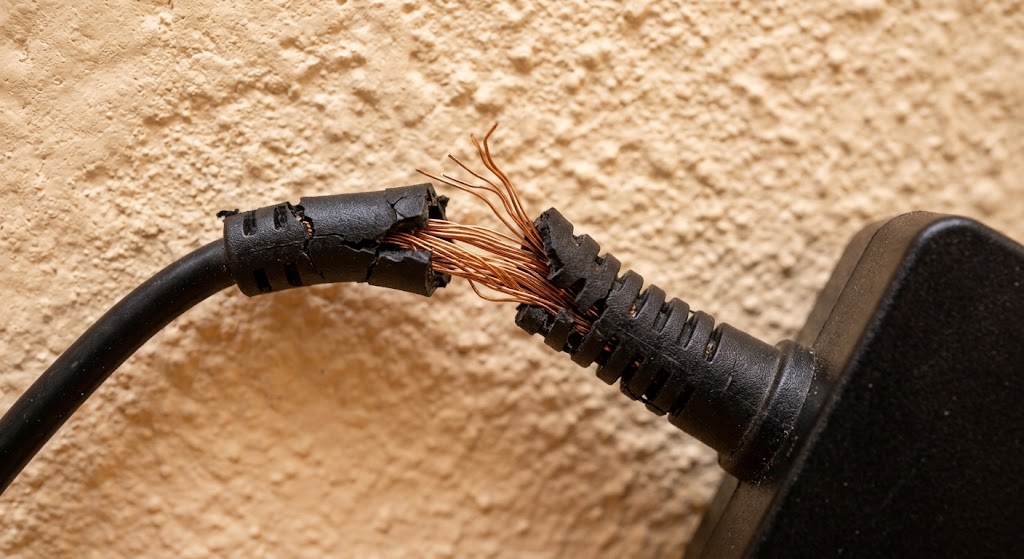
Inside that flexible rubber coating are thin copper strands carrying power to your laptop. When you pull the cord tight or wrap it around sharp corners, those hidden copper strands bend and eventually snap.
How tight wrapping breaks your charger
Look closely at where the cord meets the heavy adapter box. You will see a small, reinforced rubber neck called a strain relief joint.
Manufacturers put this piece there to prevent sharp bends. Wrapping the cord tightly around the brick forces the wire to bend right at that joint, completely undoing the protection it was designed to give.
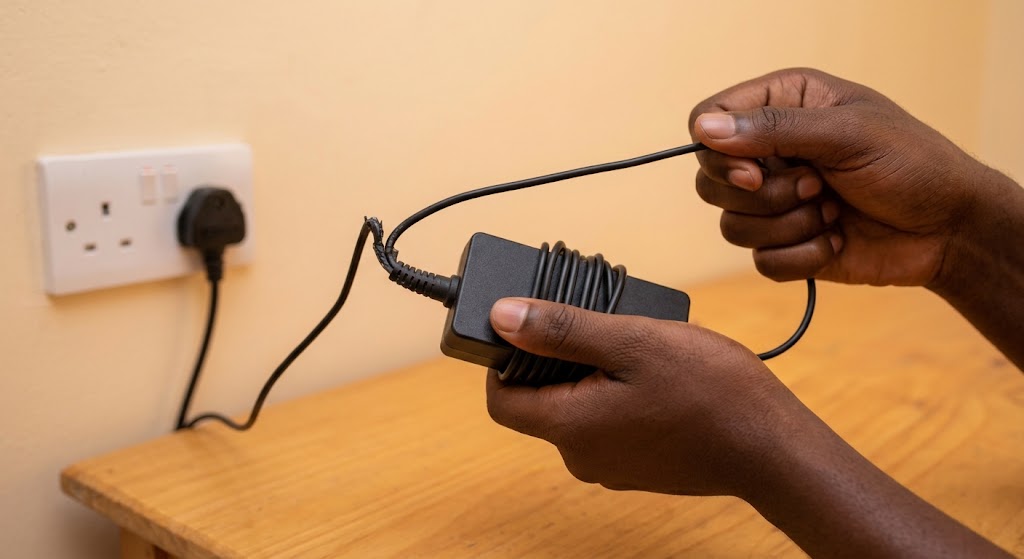
When copper wire experiences this constant pulling, it wears out inside long before you see any damage on the outside rubber.
Peer-reviewed research on conductor durability published in the journal Materials by Tae-Wook Kim and fellow researchers noted that “repeated small deformations even below a rupture strain can also cause mechanical and electrical failure because of metal film fatigue.”
In simple terms, bending the wire over and over creates tiny internal breaks that stop electricity from flowing smoothly. Suddenly, your laptop charges only when you hold the cord at a weird angle, or it stops working completely.
The right way to pack your power cord
Taking care of your charger does not cost anything or take extra time, just a small change in how you roll the cord. The goal is to avoid tight pulling at both ends.
Start by leaving a small straight gap of about two to three inches right where the cable comes out of the adapter brick. This lets the rubber neck stay straight without taking any pressure.
Next, loop the rest of the cord into loose, wide circles about the size of a plate. Secure the centre with a simple strap or clip instead of tying the wire into a knot.
For students heading to class or remote workers moving between coffee shops, switching to loose loops keeps your laptop running reliably for years.