Advertisement
How smart biometric gates keep intruders out
27th April, 2026 12:23 AM
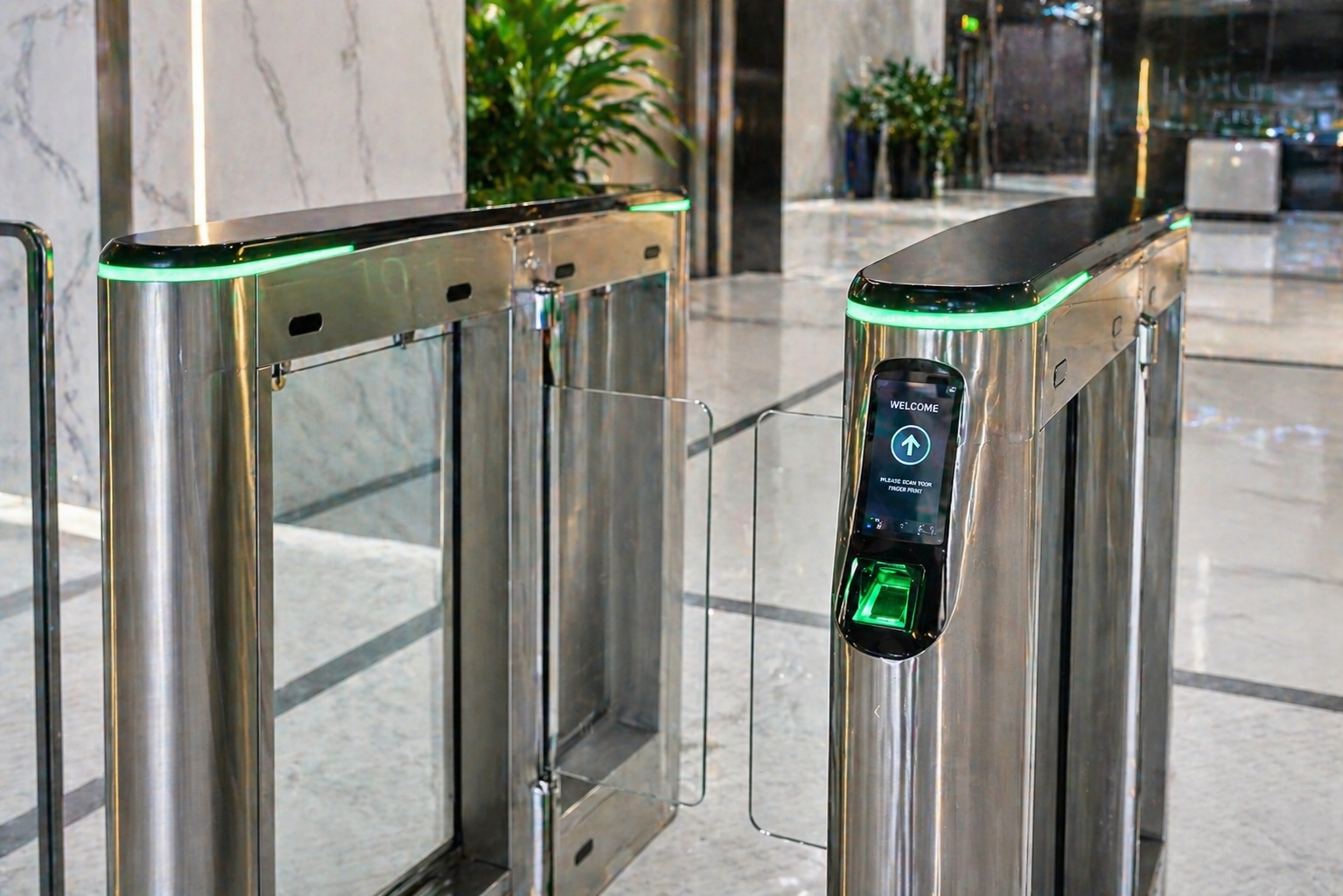
Most people see a biometric gate as a simple thing. You place a finger, look at a camera, tap a card, and then the gate opens. If it refuses, you walk away.
But behind that short moment, a lot is happening quietly.
A biometric gate is not just a gate. It is a security system that makes fast decisions in seconds. It checks identity, follows rules, records activity, and only opens when everything is right.
Here is what usually happens behind the scenes.
Step 1: Power comes on
The moment power is supplied, the system wakes up.
The control board starts running, the scanner turns on, the sensors become active, and the locking system becomes ready. In many places, backup batteries are also connected so the gate can still work during a blackout.
Before anyone even touches it, the system first checks itself.
It confirms the fingerprint reader, face camera, memory, network and lock are responding properly.
Step 2: It stays locked first
A good security gate does not open by default.
It stays locked until someone proves they are allowed in. That is the first layer of protection.
Depending on the setup, the lock may use magnets, an electric release or a motor system. Either way, the idea is simple: no permission, no entry.
Step 3: Someone requests entry
Now a person arrives.
They may place a finger on the scanner, stand before the camera, tap an access card or enter a code. Some systems even ask for two things, such as a fingerprint plus a card.
This reduces the chances of misuse.
Step 4: The system reads the identity
The machine now captures what was presented.
If it is a fingerprint, it reads the unique patterns on the finger. If it is a face, it checks facial features. If it is a card, it reads the stored ID.
It does not think like a human eye. It converts what it sees into digital information and compares it with saved records.
Step 5: Fast checks happen
This is the part people never notice.
Within a second, the system asks several questions:
Is this person registered?
Are they active?
Are they allowed to enter now?
Is this the correct gate?
Has access been blocked?
So the gate is not only checking who you are. It is also checking whether you should enter at that moment.
Step 6: It decides
If everything matches, the gate receives a command to open.
If something fails, it stays shut.
That is why one person walks through smoothly while another is denied.
Step 7: It opens briefly
Once approved, the lock releases and the gate opens.
It may swing, slide or rotate depending on design. Usually it stays open only for a short time, then locks again.
This helps stop people from sneaking in behind someone else.
Step 8: It watches movement
Many biometric gates have sensors to detect movement.
If someone is still passing through, the gate may wait before closing. This helps avoid hitting a person or damaging property.
Security systems still need to be safe.
Step 9: It keeps a record
Most systems store what happened.
They can record time, user name, gate used, success or failure, and sometimes even a photo.
That is useful for attendance, investigations and reviewing suspicious activity later.
Step 10: Trouble raises alerts
If someone forces the gate, tampers with it or keeps failing repeatedly, the system can alert guards or managers.
That alert may be through an alarm, phone notification or security software.
Why intruders struggle
The biggest strength of biometric gates is that they do more than block a doorway.
They verify identity, apply rules and create records. A key can be copied. A password can be shared. But it is much harder to fake a live fingerprint or approved face.