Why keyboards have tiny bumps on the F and J keys
By Paulette Mboga, March 17, 2026If you’ve ever looked closely at your keyboard, you may have noticed tiny bumps on the F and J keys.
These small markers are not decorative; they serve a very important purpose. They help users type faster and more accurately without looking at the keyboard.
Why the bumps exist: touch typing guidance
The primary reason for these bumps is to guide your fingers for touch typing. Touch typing is a method where your fingers rest on the “home row” keys, and you type by feel rather than looking at the keyboard. On a standard keyboard, the F key is under your left index finger, and the J key is under your right index finger. The bumps allow your fingers to find the correct starting position quickly and easily.
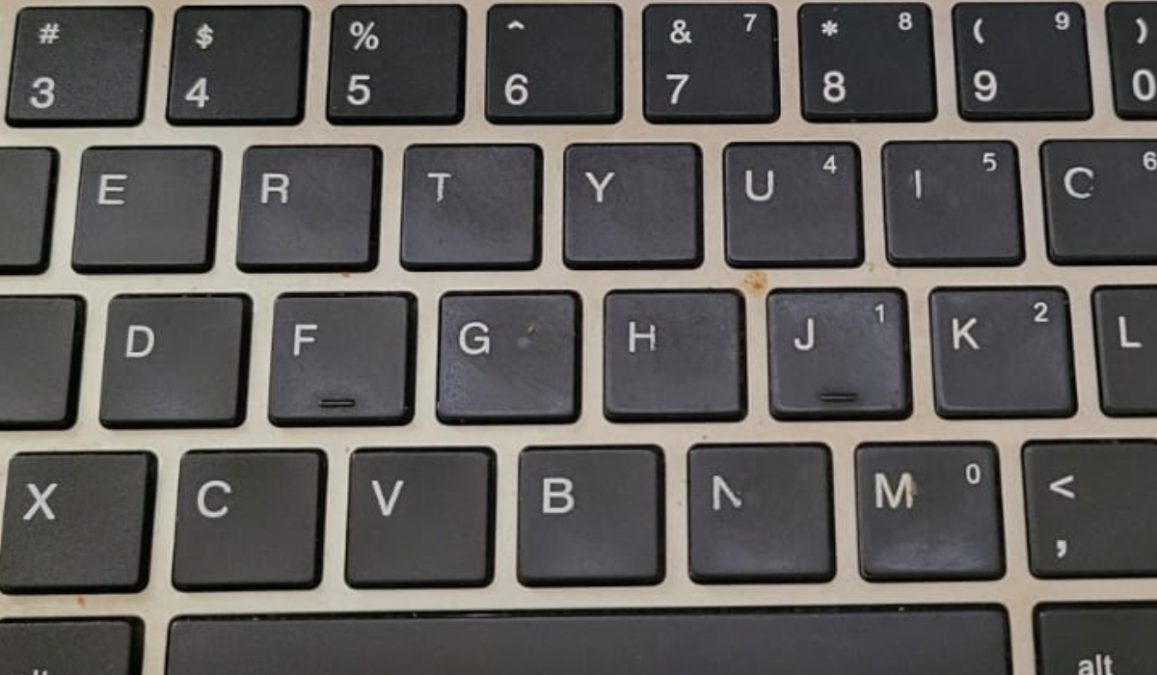
Without these markers, beginners or even experienced typists would need to glance at the keys constantly, slowing down typing speed and increasing mistakes. These bumps provide tactile feedback so your fingers know exactly where to rest. By keeping fingers on the home row, users can reach all other keys more efficiently, improving typing speed and accuracy.
Why they matter for daily typing
The bumps are subtle, usually made from slightly raised plastic or tiny ridges, but they make a noticeable difference. Keyboard designers included them to reduce errors and make typing more comfortable for long periods.

Even in modern laptops and mechanical keyboards, these bumps remain standard because they help millions of people maintain proper hand positioning while typing.
Typing without the bumps can feel awkward, especially for those learning or using a keyboard for extended periods. They may seem small, but their impact on efficiency is significant. By simply providing a tactile reference, these bumps save time, prevent mistakes, and make typing more natural.
So next time you notice the F and J keys, remember these tiny bumps are a clever design feature. They guide your fingers, support touch typing, and help millions type faster and more accurately every day.