Advertisement
How to delete your digital footprint from the internet
20th July, 2026 03:31 PM

Every time you browse the web, sign up for an app, post on social media or shop online, you leave behind a digital footprint.
While it is almost impossible to erase yourself from the internet, you can reduce the amount of personal information available online and improve your privacy.
Here are some practical ways to minimise your digital footprint.
Delete old accounts
One of the most effective ways to reduce your digital footprint is to permanently delete online accounts you no longer use.
If you have an old Google Account that you no longer need, deleting it will remove services linked to it, including Gmail, Google Drive, Google Photos, YouTube and Calendar. Before deleting your account, download any important files you want to keep.

You should also delete inactive Facebook, Instagram, X, TikTok, LinkedIn and shopping accounts instead of simply uninstalling the apps.
Remove personal information
Search your name, email address and phone number online to see what information is publicly available.
If you find personal details on a website that you no longer want online, contact the website owner and request that the information be removed. Once it is deleted from the website, it will eventually disappear from search engine results.
Review privacy settings
Take time to review the privacy settings on your social media accounts.
Set your profiles to private where possible and remove sensitive information such as your phone number, home address or date of birth. You should also consider deleting old posts and photos that reveal more personal information than necessary.
Many apps request access to your location, contacts, microphone, camera and photos.
Open your phone’s settings and review which permissions each app has. Disable permissions that are not necessary and uninstall apps you no longer use.
Clear browsing data
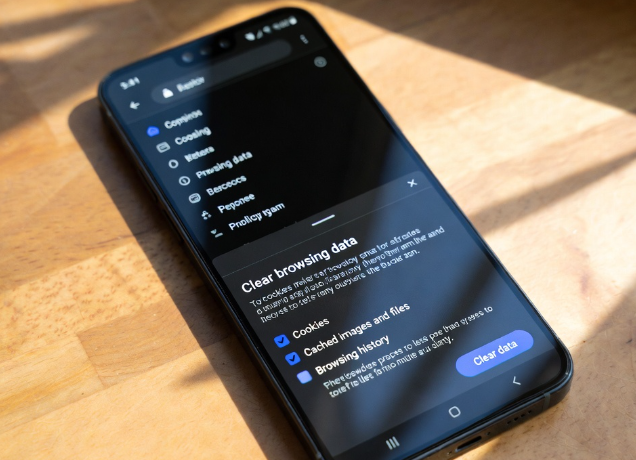
Regularly clear your browser’s cookies, cached files and browsing history. This helps reduce online tracking and prevents websites from collecting unnecessary information about your browsing habits.
You can also use privacy-focused browsers and search engines that collect less personal data.
Protect the accounts you keep by creating strong, unique passwords for every service. Avoid using the same password across multiple accounts.
Enable two-factor authentication (2FA) whenever it is available. This adds an extra layer of security by requiring a verification code or authentication app in addition to your password.
Think before you share
The easiest way to reduce your future digital footprint is to be careful about what you post online.
Avoid sharing personal documents, travel plans, financial information or your exact location on public platforms. Once information is posted online, it can be difficult to remove completely.
Author
William Muthama
William Muthama is a digital journalist with a focus on entertainment, human interest, and current affairs. Share stories: [email protected]/ [email protected]
View all posts by William Muthama